
好可爱!手把手教你「5简单步骤」⚡用AI自制『专属模型照』!
by |
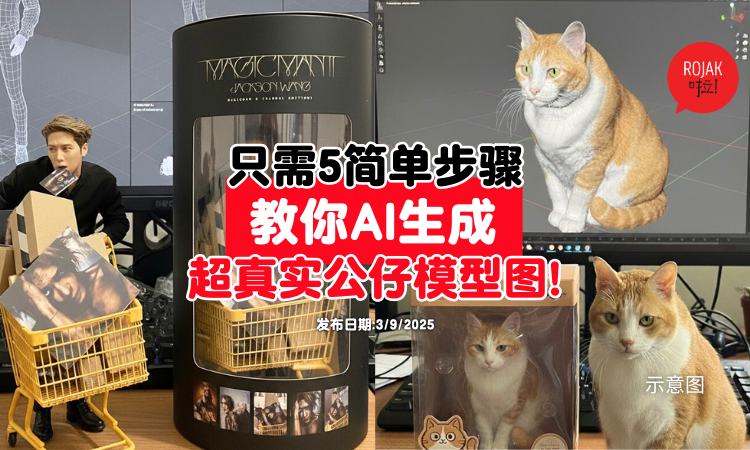
继ChatGPT「吉卜力风」生成图后,AI 玩图热潮再度被点燃!这一次的主角是——Google最新推出的 Gemini 2.5 Flash Image(Nano Banana)。

这款全新图像生成与编辑模型,被网友誉为最强的图片生成引擎。尤其Nano Banana「模型公仔化」玩法,让用户只需上传一张照片,就能免费生成一张仿佛真实摆放在桌上的公仔照片。
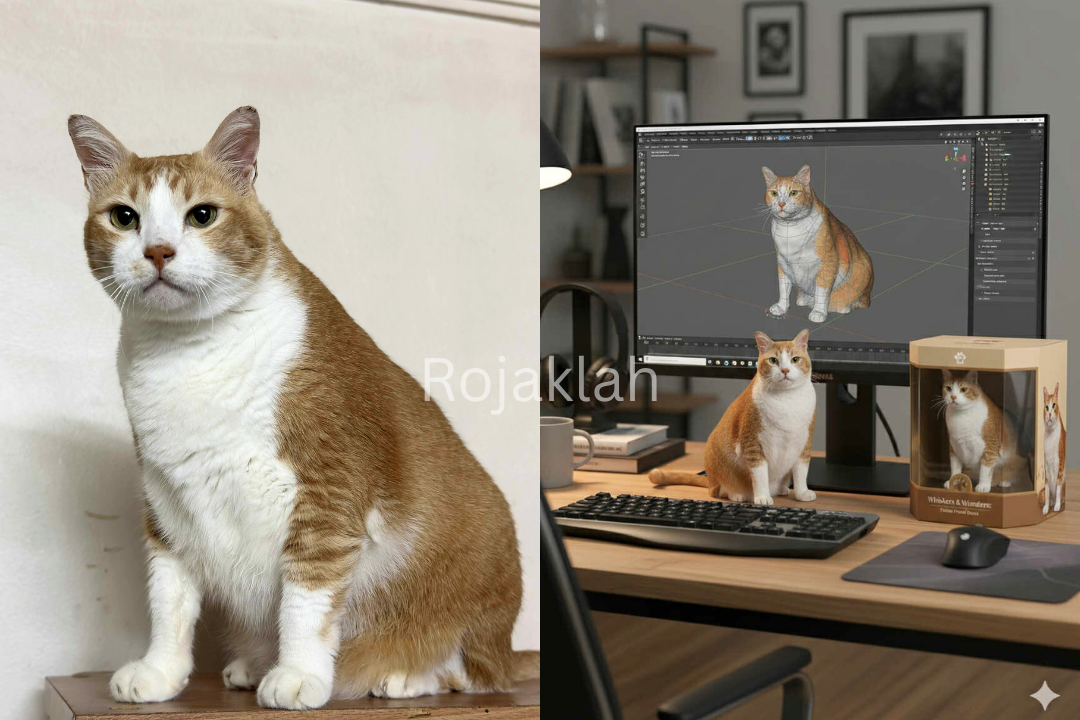
与其他 AI 工具偏向插画或艺术风格不同,Gemini 2.5 Flash Image在材质、光影与比例的处理上更接近实体玩具质感,生成的「模型公仔」图像几乎达到以假乱真的现象。
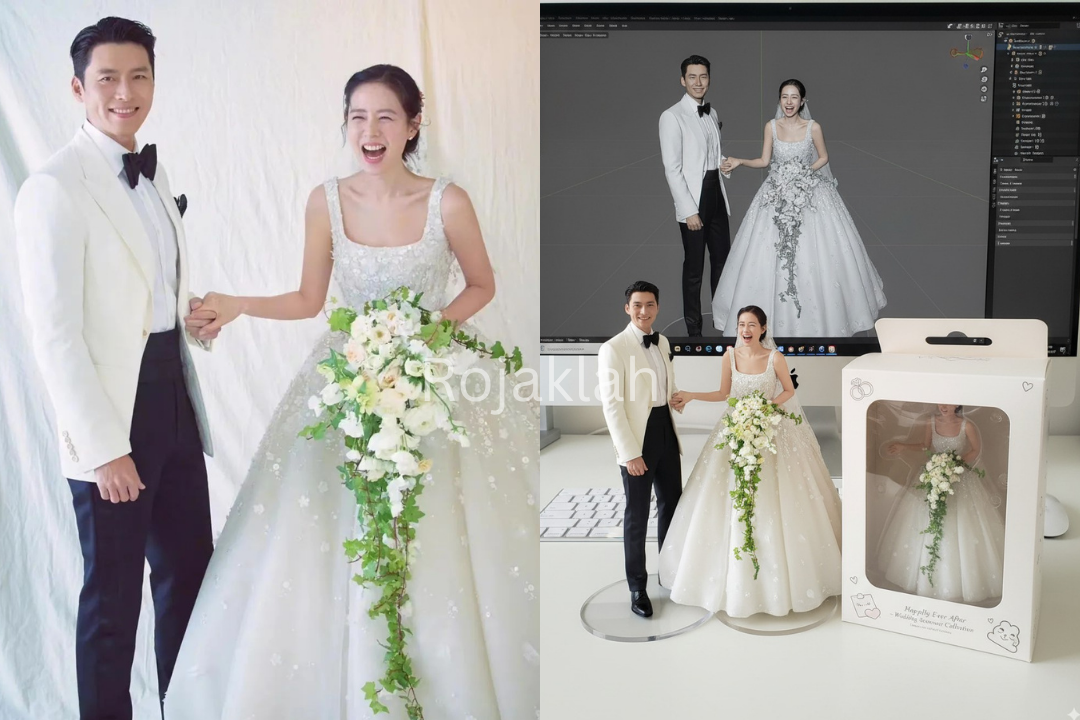
目前在社群平台上,已经有不少用户上传个人或宠物照,甚至婚纱照尝试转换为「模型公仔」,成品既逼真又具有纪念价值。现在就跟着小编,看看怎么生成吧~
5简单步骤教你如何生成
✨步骤1:打开Google AI Studio 或 Gemini App
✨步骤2:选择最新的 Nano Banana Gemini
✨步骤3:上传清晰人像或宠物照片
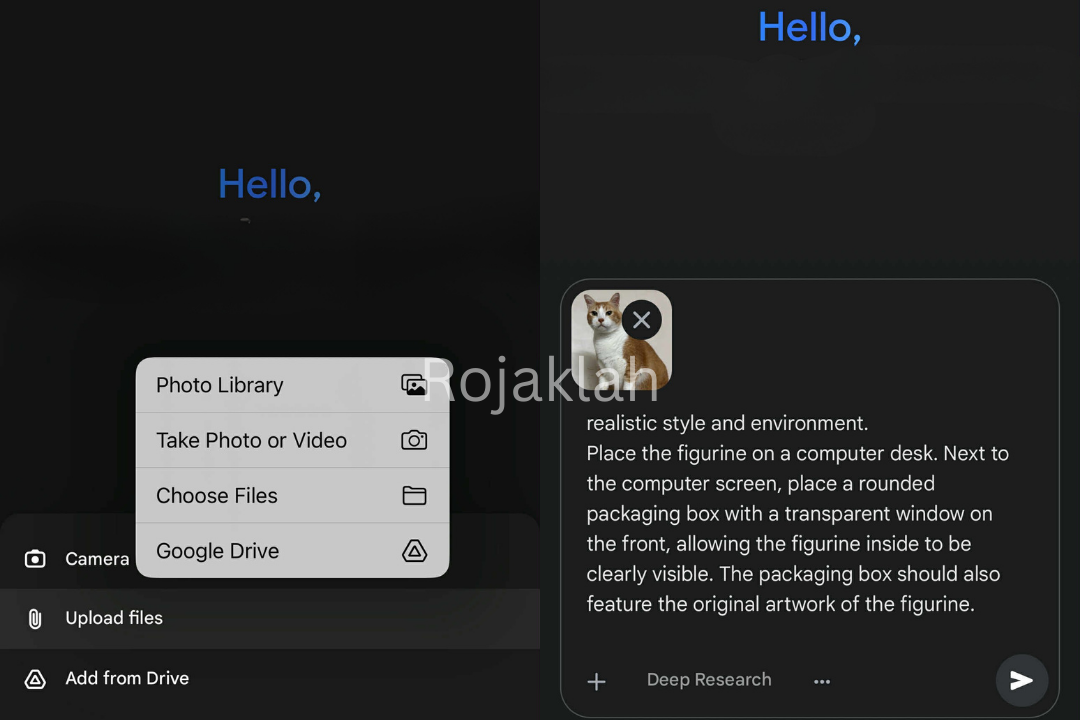
✨步骤4:复制贴上Gemini Nano Banana 公仔生成指令后点击运行
【英文指令】Transform this image into a hyper-realistic collectible 1/7 scale figurine photo, making it consistent with a realistic style and environment.Place the figurine on a computer desk. Next to the computer screen, place a rounded packaging box with a transparent window on the front, allowing the figurine inside to be clearly visible. The packaging box should also feature the original artwork of the figurine.On the computer screen, display the Blender modeling process of the figurine.
【中文指令】请将此图片转换为逼真的收藏品人偶照片,请保持与原图片人物的五官面容一致,并使其与现实风格和环境相符。将人偶放在电脑桌上。在电脑萤幕旁放置一个圆角设计且正面有透明窗口的包装盒,以便清晰可见内部人偶。包装盒上也应印有人偶的原始图稿。在电脑萤幕上,展示人偶的 Blender 建模过程。
✨步骤5:一张公仔模型照就完成啦!
-以上文章由Rojaklah小编整理报导。
更多新闻
Like Rojaklah Facebook!不出门也能知天下事~